Production Tracking Software for Contractors Guide
Production tracking software for contractors like LeadFlow connects estimates, materials, and production milestones in one workflow. Book a demo.
Production tracking software for contractors is the tool that finally connects what sales promises to what the crew actually builds. Most home improvement and remodeling companies lose time in the handoff between a signed deal and the first day of installation, and that gap is exactly what this type of software closes. Instead of relying on phone calls, sticky notes, or a spreadsheet only one person updates, office staff, sales reps, and production crews can open the same job record and see precisely where a project stands. Because a single missed handoff often costs more hours than the installation itself, closing that gap is one of the highest-leverage changes a growing contractor can make.
Quick answer: Production tracking software for contractors is a system that records a job's progress after the sale, including material orders, scheduling, milestone completion, and final payment, so sales, office, and production teams all work from one shared record instead of separate notes, texts, or spreadsheets.
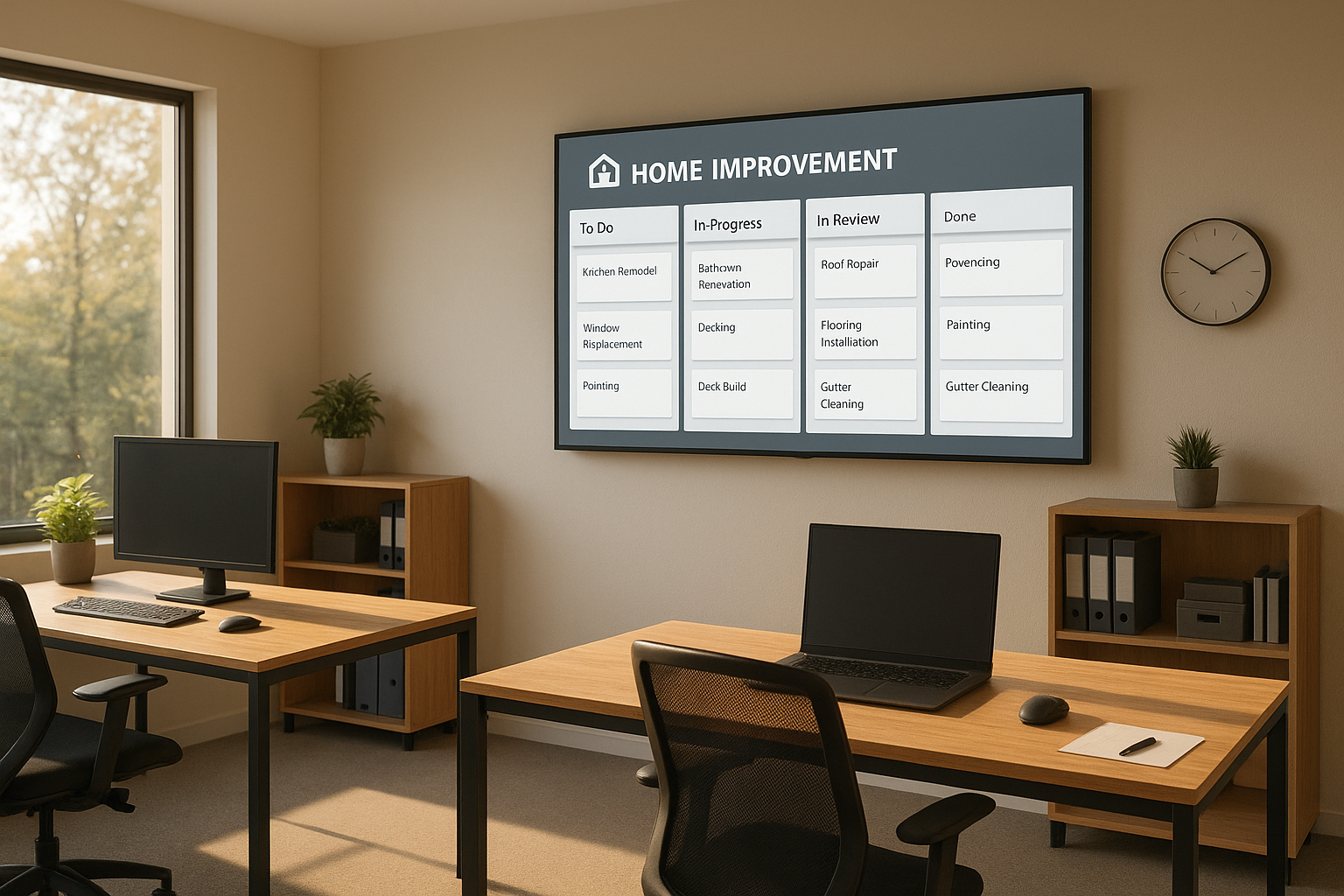
A shared job board helps teams see production tracking software for contractors at a glance, without opening a laptop.
What Is Production Tracking Software for Contractors?
Production tracking software for contractors is a system that records each job's progress after the sale closes. Specifically, it tracks material orders, scheduled installation dates, milestone completion, and the final payment, all attached to a single job file that anyone on the team can open.
In contrast to generic task apps, this kind of software is built around the exact sequence a home improvement job follows. For example, a kitchen remodel moves through estimate, signed contract, deposit, material order, installation, and final walkthrough. Because the software maps those stages directly, nothing gets skipped when a job hands off from a sales rep to a production crew. If you want to see how the stage before this one works, this complete guide to lead tracking for contractors covers how jobs enter the pipeline in the first place.
Production Tracking vs. Construction Progress Tracking Platforms: Know the Difference
Many "progress tracking" platforms on the market today are built for large commercial builders managing multi-million-dollar jobsites with BIM models (Building Information Modeling, a 3D-based process for planning and managing buildings), hundreds of subcontractors, and quality checklists tied to construction drawings. These tools are genuinely useful for that audience, but they are overkill — and often unaffordable — for a residential remodeling, roofing, flooring, or home improvement company running a dozen jobs at a time.
Production tracking software for contractors, on the other hand, is built around a simpler, sales-to-installation sequence rather than a construction drawing set. Therefore, instead of configuring BIM overlays or enterprise permission structures, a contractor sets up stages like deposit, material order, install date, and final payment, then lets the software move jobs through those stages automatically. In particular, this difference matters most during setup: enterprise progress tracking platforms can take months to configure, while contractor-focused production tracking tools are typically ready within days because the stages already match how a home improvement job actually runs.
As a result, the right question is not "which progress tracking software is most powerful," but "which one matches the size and shape of my jobs." A 200-person commercial contractor and a 12-person remodeling crew need very different tools, even though both are technically tracking "progress."
Why Home Improvement Teams Need a Contractor Job Tracking System
Construction and home improvement work involves a lot of coordination. According to the U.S. Bureau of Labor Statistics, the construction industry employs more than 8 million people across the United States, and much of that workforce is organized into small and mid-sized companies juggling multiple jobs at once. As a result, even a modest crew can be managing a dozen active jobs at different stages simultaneously.
Without a shared job tracking system, that coordination tends to live in someone's head, in a group chat, or in a spreadsheet that only one person updates. Consequently, when that person is out sick or busy with a customer call, the rest of the team is left guessing. A connected system removes that single point of failure by making job status visible to everyone who needs it, regardless of who is in the office that day.
Similarly, production crews benefit from knowing exactly what has been ordered and what is still pending. In particular, a crew that shows up to install flooring without the materials on site wastes a full day — a cost that a connected job record is specifically designed to prevent. Above all, visibility is the real product here, not just software.
Core Features of Production Management Software for Home Improvement Contractors
Not every tool labeled "production management software" covers the same ground. Therefore, it helps to know which features actually reduce administrative work rather than simply adding another screen to check during the day.
- Automatic production handoffs: a production job opens on its own once a sale is recorded, instead of waiting on someone to enter it by hand.
- Job-linked material ordering: material orders are emailed out and tied back to the specific job and address, so warehouse staff know exactly what belongs where.
- Milestone tracking: each stage, from deposit to final payment, is marked complete as the job progresses, giving everyone a real-time status.
- Shared visual job board: a simple screen view that crews and schedulers can check without logging into a full back office.
- Reporting tied to the same job: job costing and performance reports pull from the same record used by sales and production, rather than a separate spreadsheet.
- Contract and change-order tracking: signed agreements and any mid-job changes stay attached to the job instead of floating in email threads.
Above all, the goal is fewer places to look for the same answer. For a closer look at how job-level reporting works in practice, see this overview of job costing and reports. Likewise, if contracts and change orders are a pain point for your team, this guide to contract management software for contractors digs into that piece specifically.

Field crews can confirm milestones directly from the job site instead of calling the office.
How to Set Up a Connected Production Workflow in 5 Steps
Moving from scattered tracking to a connected workflow does not have to happen all at once. Instead, most companies follow a similar sequence when they switch systems.
- Map the current job stages. Write down every step a job passes through today, from first contact to final payment, including who is responsible for each handoff.
- Migrate existing leads and jobs. Move active leads and in-progress jobs out of spreadsheets or a previous CRM so contact history and job notes are not lost.
- Configure production stages and automatic handoffs. Set the system so a production job opens automatically once a sale is recorded, removing the need for manual setup.
- Connect material orders to each job. Link ordering so requests can be emailed out and tied directly back to the job's address and installation schedule.
- Train office, sales, and production together. Run live training so every team learns the same system at once, rather than piecing it together separately over weeks.
In particular, step three often depends on how installation dates are booked in the first place. If scheduling is still handled by phone tag, this overview of appointment scheduling software for contractors explains how booking and production tracking connect.
How to Choose Production Tracking Software for Contractors: A Buyer's Checklist
With several options on the market, it helps to compare tools against a consistent checklist rather than a feature list alone. Specifically, ask the following questions during any demo or trial.
- Does a production job open automatically when a sale is marked won, or does someone need to re-enter the job by hand?
- Can material orders be sent directly from the job record, with delivery confirmation tied back to that same job?
- Is there a shared, screen-friendly job board that crews and schedulers can check without a full login?
- Do job costing and performance reports pull from live job data, or do they require a separate export?
- Is customer and company data isolated per account, or pooled across other customers on the platform?
- Does the vendor offer done-for-you onboarding, including migration of existing leads and jobs?
In addition, because production tracking is only one piece of a contractor's overall software stack, it is worth checking how flexible the surrounding CRM (customer relationship management system) is. This customizable CRM for contractors buyer's guide walks through how to evaluate that layer separately from production tracking itself.
Comparing Your Tracking Options
| Approach | Updates Automatically? | Built for Contractor Stages? | Shared Visibility? |
|---|---|---|---|
| Spreadsheet | No | No | Only if shared manually |
| Generic project management app | Partially | No, requires custom setup | Yes, but not job-specific |
| Production tracking software for contractors | Yes, in real time | Yes, matches install sequence | Yes, one shared job record |
Production Tracking Tools vs. Spreadsheets: What Changes for Contractors
Spreadsheets are familiar, and that is exactly why so many companies stick with them longer than they should. However, a spreadsheet does not update itself when a sale closes, and it does not notify production when a deposit clears.
By comparison, connected production tracking tools update the job record the moment a status changes. For instance, when a sales rep marks a deal won, the production side of the business can see it immediately instead of waiting for an email or a verbal handoff. The construction management discipline has long emphasized this kind of coordination between planning and execution, and software simply makes it easier to enforce consistently, job after job.
Industry groups such as the National Association of Home Builders have also highlighted administrative overhead as a persistent drag on smaller remodeling and home improvement businesses. In contrast, a shared job record reduces how often staff have to re-enter the same customer information at each stage of the job.
Common Mistakes Contractors Make When Tracking Production Manually
Even well-run companies fall into a few predictable traps once a job leaves the sales stage. Recognizing them early makes the case for a connected system much clearer.
- Separate records for sales and production. When these live apart, material orders get missed and installs get delayed because nobody owns the handoff.
- Job history trapped in one inbox. If a coordinator leaves the company, notes, timelines, and customer context often leave with them.
- No single source of truth for status. When three people have three different answers about a job, customer trust erodes quickly.
- Manual re-entry at every stage. Retyping the same customer and job details repeatedly increases the odds of a costly error on an order or invoice.
Consequently, each of these mistakes points back to the same root cause: information that lives in one place instead of a record everyone can see.
How LeadFlow Supports Production Tracking From Lead to Final Payment
LeadFlow is a connected workflow CRM built specifically for home improvement companies. It links lead management, appointments, estimates, signatures, payments, material orders, production, and final payment in one system, so office staff, sales reps, and crews are working from the same job record throughout.
When a sale is recorded, LeadFlow automatically creates a production job rather than requiring someone to open a new file by hand. Material orders can be emailed directly from the job and stay connected to that record. In addition, a TV job board gives production teams a shared view of active jobs without logging into a full dashboard. To see how this plays out for a real company, this case study on moving from operational friction to a connected workflow walks through the before-and-after.
You can review how lead-to-job handoffs work on the lead management tour page, or start from leadflowcrm.info to see the full workflow from first contact through final payment.
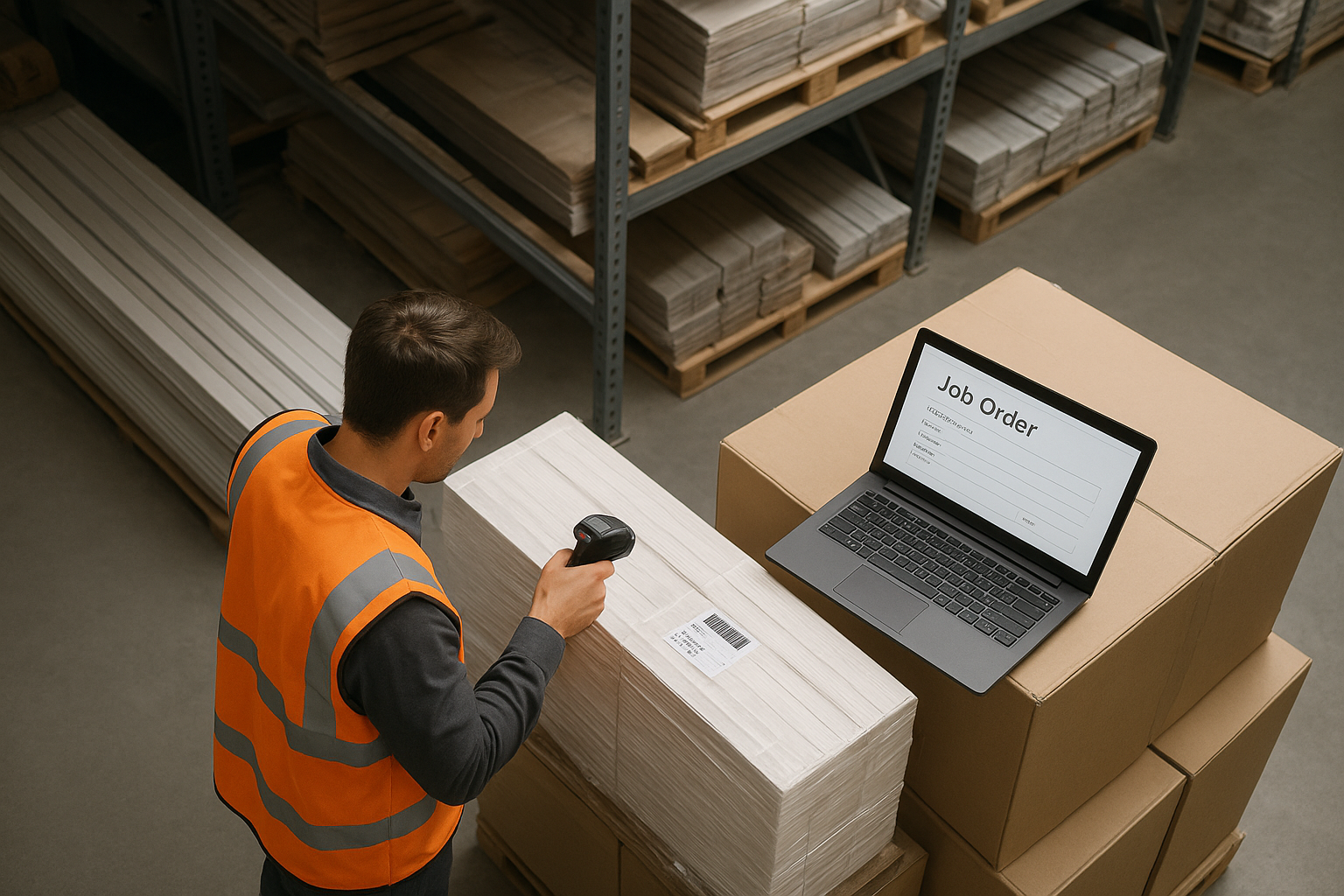
Job-linked material orders help warehouse staff confirm deliveries match the right project.
Production Tracking Software Pricing: What to Expect
Pricing for production tracking software for contractors typically scales with the number of users who need access, rather than the number of jobs being tracked. Plans are offered month-to-month, with no long-term contract, and customers can cancel at any time.
Specifically, LeadFlow's Starter plan supports up to 3 users, Pro supports up to 10, and Business supports up to 25, while Enterprise plans cover larger teams or multiple locations. Each company receives an isolated, private workspace, and onboarding can include account configuration, data migration, user setup, and live team training. LeadFlow is a product of JMB Business Solutions.
Frequently Asked Questions About Production Tracking Software for Contractors
What is production tracking software for contractors?
Production tracking software for contractors is a digital system that follows a job from signed estimate through material ordering, scheduled installation, milestone updates, and final payment. It replaces scattered spreadsheets and phone updates with one shared job record.
How does production tracking software follow a job after the sale?
Most systems create a production record automatically once a sale is recorded, then update that record as materials are ordered and milestones are completed. For example, LeadFlow creates a production job the moment a sale is marked won, so nothing waits on manual entry.
Why do home improvement companies need this instead of spreadsheets?
Spreadsheets do not update automatically when a sale closes or a material order ships, which creates gaps between sales and production. A connected system keeps office staff, sales reps, and crews looking at the same current information at all times.
How much does production tracking software for contractors cost?
Pricing typically depends on how many users need access. LeadFlow offers month-to-month plans for teams of up to 3, 10, or 25 users, plus Enterprise options for larger or multi-location companies, with no long-term contract required.
How long does setup take for a new production tracking system?
Setup time varies by how much data needs to move and how many workflows need configuration. Done-for-you onboarding, including account configuration, data migration, user setup, and live training, typically shortens the timeline compared to a self-service setup.
Can existing leads and jobs be migrated into a new system?
Yes. Existing leads and jobs can be migrated from spreadsheets or a previous CRM so the team does not start from zero. This is typically handled as part of onboarding rather than left to office staff to do manually.
What common mistakes happen when tracking production manually?
The most common mistake is letting sales and production work from separate records, which causes missed material orders and delayed installs. Another frequent issue is losing job history when staff turn over, since notes often live in one person's inbox.
What features should contractors look for in production management software?
Look for automatic production handoffs, job-linked material ordering, milestone tracking, and reporting tied to the same job record. A visual job board that crews can check without logging into a full back office is also valuable.
Can production tracking software connect estimates, payments, and materials in one job?
Yes, in a connected workflow CRM, estimates, signatures, deposits, material orders, and production milestones all attach to the same job record. This avoids re-entering information at each stage of the job.
Is company and customer data kept private and secure?
Reputable platforms isolate each company's information in its own workspace rather than pooling data across customers. LeadFlow, for example, gives each company a private, isolated workspace separate from other accounts.
Does production tracking software support multiple locations or larger teams?
Growing companies typically move to higher user tiers or an Enterprise plan as headcount increases. LeadFlow's Enterprise option is built for larger teams or companies operating across multiple locations.
Can the workflow be reviewed before booking a demo?
Yes. Most companies can describe their current job process first, then see how a platform maps that process into stages before committing. This approach lets a team compare its real workflow against the software instead of guessing.
What is a TV job board and how does it help production tracking?
A TV job board is a shared screen, often in a production office or shop, showing active jobs and their current stage at a glance. It helps crews and schedulers see what is in progress without opening a laptop or asking the office for an update.
What is the difference between production tracking software and general project management tools?
General project management tools track tasks but usually are not built around a home improvement job's specific stages, such as estimate, deposit, material order, and install. Industry-specific production tracking software maps directly to that sequence instead of requiring custom setup.
How is production tracking software for contractors different from enterprise construction progress tracking platforms?
Enterprise progress tracking platforms are typically built around BIM models and large commercial jobsites with long setup times. Production tracking software for contractors, by contrast, is built around a simpler sales-to-installation sequence that fits small and mid-sized home improvement companies without months of configuration.
Does production tracking software integrate with payments and contracts?
In a connected workflow CRM, signed contracts, deposits, and final payments typically attach to the same job record as production milestones, so there is no need to track payment status in a separate tool.
Final Thoughts: Choosing Production Tracking Software for Contractors
Production tracking software for contractors is ultimately about closing the gap between a signed deal and a finished job. When sales, office staff, and production crews share one record instead of three versions of the truth, fewer jobs stall waiting on a phone call that never comes. As home improvement teams grow, that shared visibility becomes harder to maintain with spreadsheets alone, which is why more companies are moving toward connected workflow systems built specifically for their trade. If you want to see how this looks against your own process, you can book a personalized workflow demo and walk through it directly.
