Appointment Scheduling Software for Contractors 2026
Appointment scheduling software for contractors keeps jobs on track from first call to final payment. See how LeadFlow works—book a free demo today.

Appointment scheduling software for contractors is the system that turns a ringing phone into a booked, confirmed, and completed job — without the sticky notes, crossed wires, or double-booked Tuesdays that slow down a growing crew. Instead of one calendar per rep, the entire office, sales team, and production crew look at a single shared schedule that shows who is free, where a prospect sits in the pipeline, and when the next estimate is due. For a home improvement company adding reps every season, that visibility is often the difference between a job that moves smoothly from first call to final payment and one that quietly stalls after the initial phone call. Below, we break down exactly what this software does, why it matters more than ever in 2026, and how to pick a platform that keeps appointments, estimates, and production working together instead of fighting each other.
Quick answer: Appointment scheduling software for contractors is a digital tool that books, reminds, and tracks sales reps and crews for job visits, estimates, and installs. The strongest platforms connect scheduling directly to leads, estimates, online booking pages, and production, so one appointment never creates three separate data-entry tasks.
What Is Appointment Scheduling Software for Contractors?
Appointment scheduling software for contractors is a digital system that books, confirms, and tracks sales visits, estimates, and installation appointments for home improvement businesses. Rather than juggling paper calendars or a handful of disconnected apps, teams can see appointment status, lead details, and job stage in one shared view, updated in real time.
In practice, this kind of software usually builds on the same foundation as a customer relationship management system (CRM for short — a database that stores every customer interaction in one place), since appointments are tied to a specific lead or customer record. For example, when a homeowner calls to request an estimate, the rep books the visit directly inside the same tool that stores the homeowner's contact details and project notes. Consequently, nothing gets lost between the first call and the actual visit. Furthermore, office staff can reschedule or reassign an appointment without calling the sales rep directly, because the change updates instantly for everyone who needs to see it.
That said, not every "scheduling tool" is built the same way. Some are standalone booking calendars with no connection to a sales pipeline at all. Others — the ones built specifically for contractors — treat the appointment as the first step in a much longer job lifecycle, which we cover in detail below.
Why Scheduling Software Matters for Home Improvement Teams in 2026
Home improvement demand has stayed strong for years, and that growth puts real pressure on how companies manage their calendars. According to the U.S. Bureau of Labor Statistics, employment for construction managers is projected to grow faster than the average for all occupations through the early 2030s, which signals ongoing demand for organized, well-staffed remodeling and installation businesses. Similarly, the National Association of Home Builders regularly reports steady remodeling activity across the country, which means more estimates, more reps, and more calendars to manage at once.
As a result, companies that still rely on manual booking tend to lose time to double-bookings, forgotten callbacks, and appointments that never make it into the sales pipeline. In contrast, a connected scheduling system keeps the office, sales reps, and production crew looking at the same information. Above all, this reduces the back-and-forth phone calls that eat into a busy office's day, freeing staff to focus on closing jobs instead of untangling calendars.
Meanwhile, homeowners now expect the same booking experience they get from restaurants, salons, and medical offices: a text confirmation, a reminder, and the option to reschedule without a phone call. Therefore, a company still scheduling by hand is not just inefficient internally — it is also falling behind customer expectations.
Core Features Your Contractor Scheduling Software Needs
Not every calendar tool is built for the way home improvement sales actually work. Therefore, it helps to look for a few specific features before choosing a platform.
- Automated reminders sent by text or email before each visit
- Calendar views organized by rep, territory, or appointment type
- Direct links between appointments, leads, and estimates
- Mobile access for reps and crews working in the field
- Conflict detection to prevent double-booked visits
- Customer-facing online booking pages for self-scheduling
- Round-robin or territory-based lead assignment
- Reporting on appointment-to-sale conversion rates
Field reps can check appointment scheduling software for contractors from a phone or tablet before every visit.
Online Booking Pages and Calendar Sync for Customer Self-Scheduling
One area where generic calendar apps and basic office systems both fall short is customer self-scheduling. Specifically, a growing number of homeowners would rather pick their own estimate time from an online booking page than wait for a callback. A contractor-ready scheduling tool should offer a branded booking link that a prospect can use after filling out a web form or clicking a text message, instantly placing a confirmed visit on the rep's calendar.
In addition, two-way calendar sync with Google Calendar or Outlook matters more than most buyers realize. Without it, a rep's personal calendar and their company scheduling tool can quietly drift apart, which eventually leads to a missed visit. With sync in place, however, availability updates automatically in both directions, so a rep blocking off personal time on their phone will not get double-booked by the office later that day.
Missed-Call Text-Back and Automated Follow-Up
Another feature worth prioritizing is missed-call text-back, which automatically sends a text to anyone who calls and does not reach a live person. As a result, a prospect calling after hours receives an instant reply with a link to self-schedule, rather than hanging up and calling a competitor instead. Paired with automated follow-up sequences, this turns a missed call into a booked appointment without anyone on staff lifting a finger.
How Scheduling Connects to Your Full Contractor Workflow
Booking an appointment is only the first step of a much longer process. After the visit happens, the same job typically moves through an estimate, a signature, a deposit, material orders, and production. Consequently, scheduling tools that stand alone often create a gap right after the appointment is completed, because someone has to manually move that information into a separate system.
A connected workflow avoids that gap entirely. For instance, LeadFlow's lead management tools keep every appointment attached to the original lead record, so a booked visit automatically updates where that prospect sits in the pipeline. Once a sale is recorded, a production job can be created automatically rather than re-entered by hand. In addition, companies can review job costing and reporting to see how appointment volume actually translates into completed, profitable jobs rather than just a full calendar.
Scheduling Software for Contractors vs. Generic Booking Apps
It is worth addressing a common point of confusion directly: general-purpose booking tools such as Calendly or Acuity Scheduling are not the same thing as scheduling software built for contractors. These generic apps are excellent at showing open time slots and letting someone book a meeting. However, they typically have no concept of a lead, an estimate, a job stage, or a production schedule.
In contrast, scheduling built into a contractor CRM treats the appointment as one stage inside a bigger pipeline. For example, booking the estimate visit, winning the job, scheduling the install, and ordering materials all happen inside one connected record instead of four disconnected tools. Therefore, while a generic booking app might work fine for a single consultant, it quickly becomes a liability for a home improvement company juggling leads, estimates, and installs across multiple reps and crews.
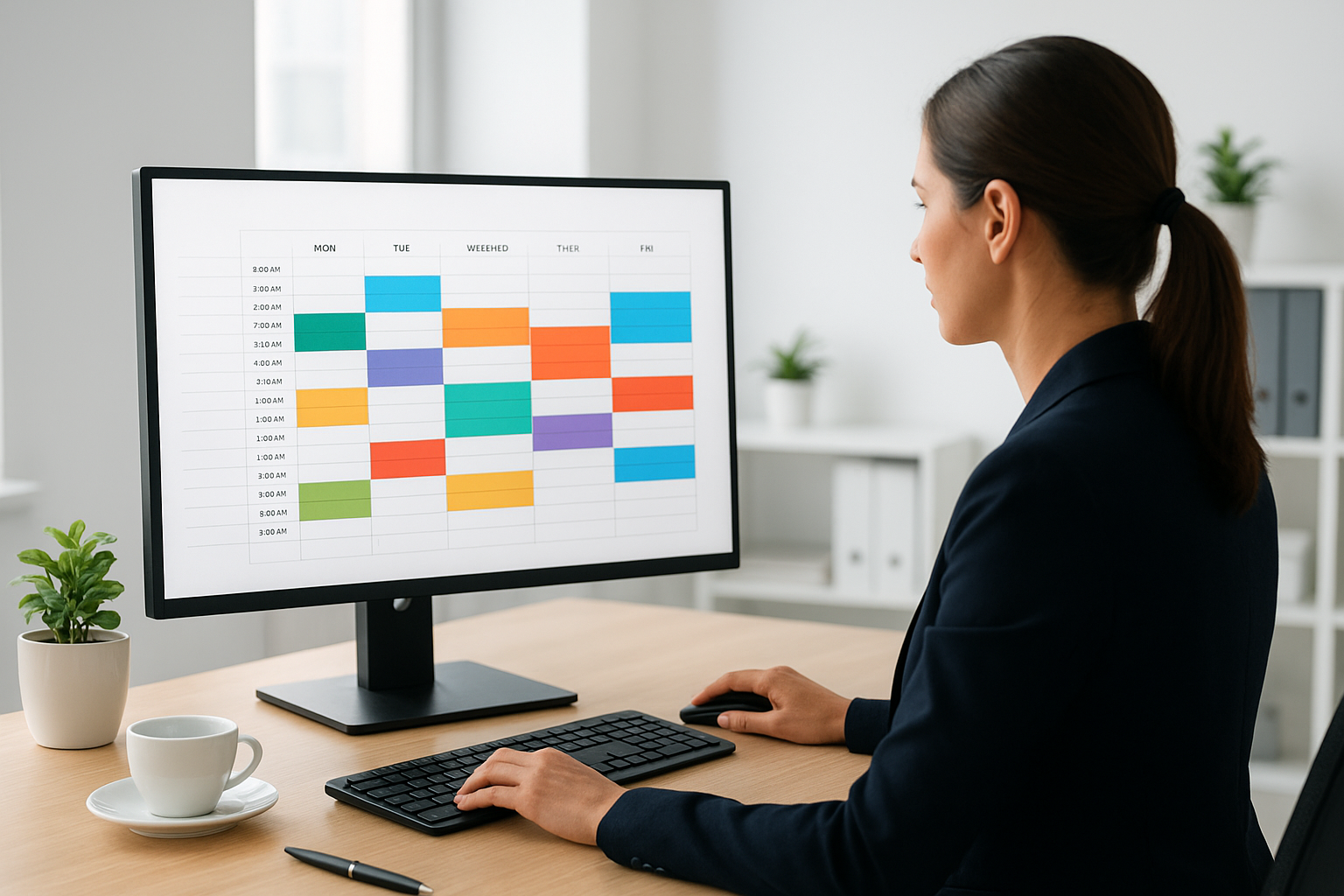
A shared dashboard keeps the office, sales team, and production crew looking at the same schedule.
7 Steps to Set Up Contractor Appointment Scheduling
Switching from manual booking to a connected system does not need to be complicated. Here is the general process most home improvement companies follow when rolling out appointment scheduling software for contractors.
- Map the current appointment flow, listing every touchpoint from first contact through the signed estimate so nothing gets missed during the switch.
- Choose a system that links scheduling to leads and estimates instead of operating as a standalone calendar with no pipeline connection.
- Configure calendar rules, including rep availability windows, appointment types, buffer times, and automated reminder schedules.
- Set up an online booking page or widget so customers can self-schedule estimates without waiting for a callback from the office.
- Migrate existing leads, jobs, and appointments from spreadsheets or a previous CRM so historical data is not lost during the transition.
- Train the office, sales, and production teams on the new shared calendar, including how to reschedule and reassign appointments.
- Monitor the dashboard weekly for no-shows, scheduling conflicts, or appointments that never converted into a booked job, and adjust reminder timing accordingly.
Choosing the Right Appointment Scheduling Tool for Your Crew
A solo operator and a twenty-person sales team need different things from a scheduling tool, even though the core problem is the same. For a solo operator, the priority is usually simplicity and mobile access. For a busy office with several reps, conflict detection and reporting matter more, since missed conflicts become expensive quickly.
Meanwhile, established and multi-location companies often need role-based permissions and the ability to compare performance across offices. Because needs change as a company grows, it is worth reviewing plan options that scale from a small crew up to enterprise-level teams, rather than choosing a tool that only fits today's headcount.
Scheduling Needs by Trade
Specifically, different home improvement trades put different demands on a calendar. The list below highlights what tends to matter most for each type of business.
Roofing: Fast scheduling after storms, with the ability to book high volumes of estimates in a short window.
HVAC: Same-day and emergency booking slots alongside routine maintenance appointments.
Solar: Longer sales cycles with multiple touchpoints — site survey, design review, and install — that all need to stay linked.
Windows and doors: Measure appointments that must be scheduled precisely alongside material lead times.
Bath, kitchen, and general remodeling: Multiple site visits per project, often requiring coordination between sales and production calendars.
How LeadFlow Approaches Appointment Scheduling for Home Improvement Companies
LeadFlow is a workflow CRM, or customer management system, built specifically for home improvement companies, including windows and doors, roofing, siding, bath and kitchen, solar, and HVAC businesses. Appointment scheduling sits alongside lead management, estimates, signatures, payments, material orders, and production tracking in one connected system, rather than as a separate add-on bolted on afterward.
For example, once a sale is recorded, LeadFlow can automatically create the related production job, and material orders can be emailed and linked back to that same job. Crews can then check a TV job board to see upcoming work without waiting on a phone call from the office. Each company also receives its own isolated, private workspace, so data stays separate from other businesses using the platform.
Plans are offered month-to-month with no long-term contracts, and onboarding can include configuration, data migration, user setup, and live team training. Readers who want to see this in action can take a product tour or visit leadflowcrm.info to book a personalized workflow demo.

A TV job board keeps production crews aligned with the appointments and installs booked for the week.
Common Scheduling Mistakes Contractors Should Avoid
Even with good intentions, a few recurring mistakes tend to slow teams down. Watch for these:
- Using a separate calendar for each rep instead of one shared view
- Skipping automated reminders, which increases no-shows
- Keeping appointment data apart from estimate and production records
- Failing to migrate historical leads when switching systems
- Offering no online booking option, forcing every prospect to wait for a callback
- Choosing a tool sized for today's team with no room to grow
Compliance: Texting Rules for Appointment Reminders
Because automated reminders are usually sent by text, it is worth understanding the basic compliance rules before turning them on. In the United States, automated texting falls under rules enforced by the Federal Communications Commission, which generally requires prior consent before sending automated text messages to a customer's phone. In practice, this usually means collecting a phone number through a form or booking page that clearly states texts will be sent, rather than adding numbers from an old contact list without permission. Consequently, a good scheduling platform should make it easy to capture that consent at the point of booking, not as an afterthought.
Frequently Asked Questions About Appointment Scheduling Software for Contractors
What is appointment scheduling software for contractors?
Appointment scheduling software for contractors is a digital tool that books, confirms, and tracks sales visits, estimates, and installation appointments for home improvement businesses. It replaces paper calendars and disconnected apps with one shared view of appointments and job status.
How does contractor scheduling software reduce no-shows?
Most systems send automated reminders by text or email before each visit, which cuts down on missed appointments. In addition, some platforms flag scheduling conflicts before they happen, so reps are not double-booked.
How much does appointment scheduling software for contractors cost?
Pricing varies by provider and the number of users on a plan. LeadFlow, for example, offers month-to-month plans that scale from small teams up to enterprise plans for multiple locations, with details on the pricing page.
What is included in LeadFlow's onboarding and setup?
Onboarding can include account configuration, data migration from a prior system, user setup, and live team training. This is designed to get an office, sales team, and production crew working from the same calendar quickly.
Can existing appointments and leads be migrated into a new scheduling system?
Yes, existing leads and jobs can typically be migrated from spreadsheets or a previous CRM. As a result, companies avoid re-entering historical appointment and customer data by hand.
How is appointment scheduling software different from a shared calendar app?
A shared calendar only shows time blocks, while scheduling software built for contractors links each appointment to a lead, estimate, and job record. Consequently, booking an appointment can automatically update the stage of a deal instead of living in a separate tool.
Does appointment scheduling software support online booking pages and calendar sync?
Yes, most contractor-ready platforms offer a branded booking page where customers can self-schedule, along with two-way sync to Google Calendar or Outlook so rep availability always stays accurate.
What is round-robin appointment assignment and does LeadFlow support it?
Round-robin assignment automatically rotates new appointments evenly across available reps instead of sending every lead to one person. This keeps workload balanced and ensures no booked visit sits unassigned.
Are automated text reminders compliant with TCPA rules for contractors?
Automated texts can be compliant as long as the business collects proper consent before messaging a customer, in line with rules enforced by the Federal Communications Commission. A good scheduling tool should capture that consent at the booking step.
How long does it take to set up scheduling software for a home improvement company?
Setup time depends on team size and how much historical data needs to move over, but basic configuration and user setup can often be completed within a few business days. Full onboarding with data migration and training may take a little longer for larger teams.
What is the cancellation policy for LeadFlow's plans?
LeadFlow is offered month-to-month, and customers can cancel at any time. There are no long-term subscription contracts required.
Which plan fits a growing sales team?
Teams typically start with a plan sized to their current user count and move up as staff grows. LeadFlow's Starter plan supports up to three users, Pro supports up to ten, and Business supports up to twenty-five, giving a clear upgrade path.
Are enterprise plans available for multi-location contractors?
Yes, enterprise plans are available for larger teams or companies operating across multiple locations. These plans are built to coordinate scheduling, estimates, and production across several offices in one system.
What common mistakes do contractors make when scheduling appointments?
Common mistakes include using separate calendars for each rep, skipping reminders, and keeping appointment data apart from estimate and production records. Each of these gaps tends to create duplicate work and missed follow-ups.
Does scheduling software work for solo operators as well as larger crews?
Yes, scheduling software scales from a single operator managing their own calendar up to established companies with full office and production staff. The core benefit, keeping appointments connected to job data, applies at any team size.
Is company and customer data kept private and secure?
With LeadFlow, each company receives an isolated, private workspace rather than sharing data across accounts. This keeps leads, appointments, and job records separate from other businesses using the platform.
Final Thoughts on Appointment Scheduling Software for Contractors
In summary, appointment scheduling software for contractors does far more than fill a calendar. When it is connected to leads, estimates, online booking pages, materials, and production, a booked visit becomes the starting point for the entire job rather than an isolated task. Home improvement teams that outgrow spreadsheets and disconnected apps typically see fewer missed visits, less duplicate data entry, and better alignment between the office, sales, and production crews. Whether a company is a solo operator or runs multiple locations, choosing scheduling software that fits into the full workflow — not just the calendar — is what keeps jobs moving from the first call through final payment. Visit LeadFlow to see how a connected calendar can work for your team.