Lead Management Software for Contractors: Buyer Guide
Lead management software for contractors connects leads, estimates, and production in one workflow CRM. Compare features and book a free demo today.
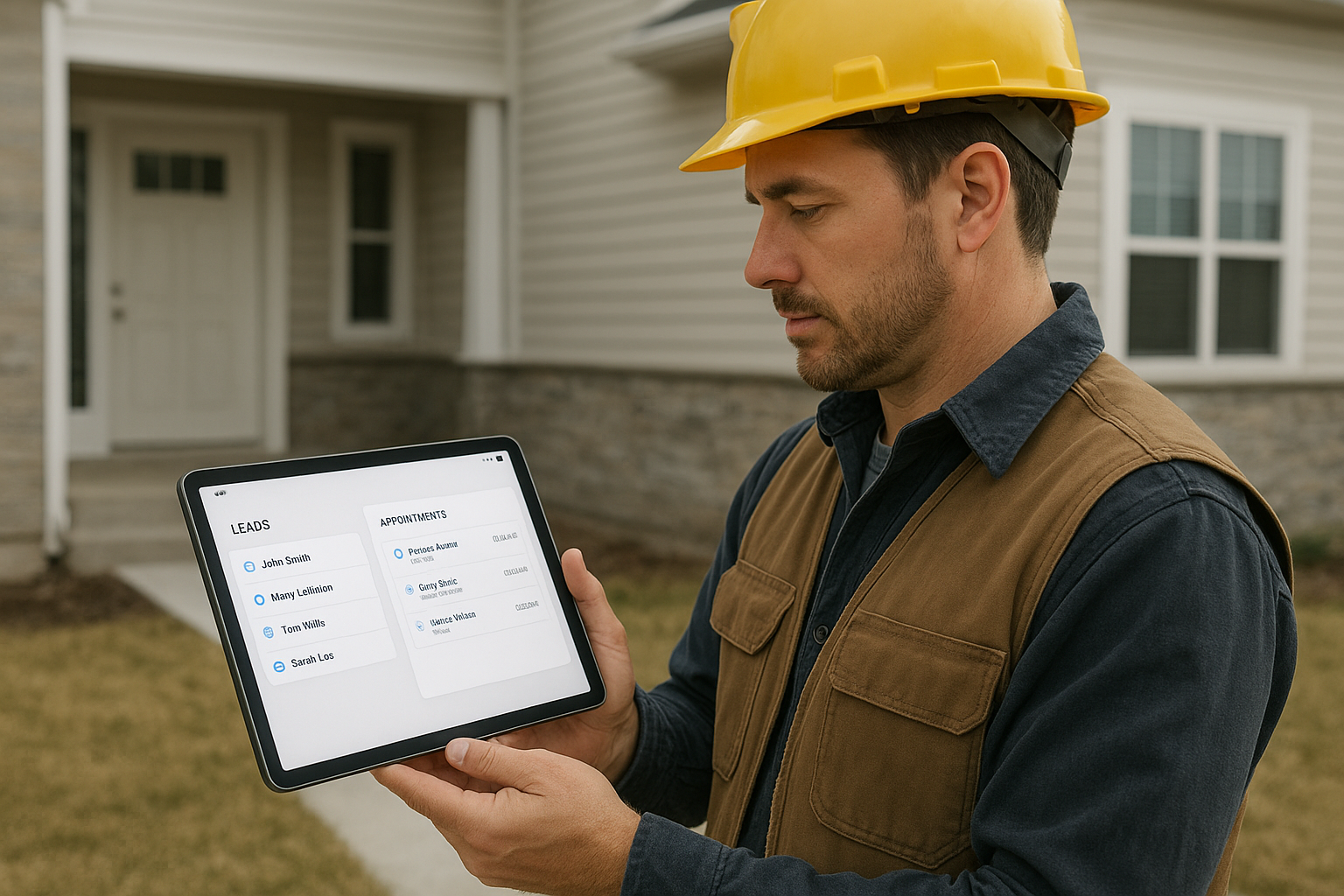
Lead management software for contractors is the single operating system that keeps every call, estimate, signature, and production handoff tied to one job record, rather than scattered across sticky notes, text threads, and five different spreadsheets. For home improvement companies juggling office staff, sales reps, and production crews at the same time, that single source of truth often decides whether a job closes smoothly or stalls somewhere between the first phone call and the final walkthrough.
In short: lead management software for contractors is a digital system that tracks prospects from first contact through signed contract, and in the strongest platforms also connects appointments, estimates, payments, materials, and production into the same workflow. That connection is what separates a basic contact list from a true customer relationship management (CRM) system built specifically for the trades, rather than a generic sales tool with a contractor logo slapped on top.
Lead management software for contractors keeps job details visible from the field, not just the office.
What Is Lead Management Software for Contractors?
Lead management software for contractors is a platform built to capture, track, and organize prospective customers throughout the home improvement sales process. In this context, a "lead" simply means anyone who has shown interest in a job, whether they called your office, filled out a web form, or got referred by a past customer. Rather than relying on a sales rep's memory or a shared spreadsheet, the software holds every call, appointment, note, and document tied to that lead in one record.
In practice, this means a homeowner who calls about a roof replacement gets logged automatically, an appointment gets scheduled without a second phone call, and the estimate created during that visit stays attached to the same job record. Consequently, nothing depends on one person remembering to update a separate file later. Furthermore, when that lead becomes a signed customer, the same record can carry forward into production, so the crew installing the roof sees the exact scope that was sold.
This distinction matters because many contractors start with a generic contact list and only later realize it cannot follow a job past the first conversation. In contrast, purpose-built lead management software for contractors is designed from the ground up to track a job's full life cycle, not just the initial contact.
Lead Management Software vs. Construction CRM vs. Project Management Tools
Shoppers researching this topic often run into three overlapping terms: lead management software, construction CRM, and project management software. Although they share some features, they solve different problems, and understanding the difference helps you avoid buying the wrong tool.
A general construction CRM typically focuses on storing contact information and sales pipeline stages, similar to a traditional sales tool adapted for the trades. Project management software, on the other hand, focuses on tasks, timelines, and crew scheduling once a job is already sold. Lead management software for contractors sits in between and, in the strongest implementations, connects both ends: it captures the lead the moment it arrives, then carries that same record through estimating, selling, and into production scheduling.
Specifically, the gap most contractors run into is a tool that handles the sales side well but hands off to a completely separate system for production, forcing double data entry. Therefore, when evaluating lead management software for contractors, it is worth asking vendors directly whether their platform owns the entire job life cycle or only a slice of it.
Why Contractors Struggle Without Contractor Lead Tracking
Without organized contractor lead tracking, follow-up speed suffers first. A well-known study published in the Harvard Business Review, titled "The Short Life of Online Sales Leads," found that companies contacting a new lead within an hour were far more likely to have a meaningful conversation than those who waited even slightly longer. For home improvement businesses fielding calls, web forms, and referrals at once, that delay often happens simply because no one owns the follow-up queue.
Beyond response time, disconnected systems create duplicate data entry. For example, a sales rep might write an estimate on paper, the office re-enters it into a spreadsheet, and production never sees the original notes. As a result, miscommunication between departments becomes one of the most common reasons jobs stall or customers get frustrated. According to the U.S. Bureau of Labor Statistics, construction and extraction occupations continue to grow year over year, which means more companies are competing for the same homeowners and simply cannot afford slow follow-up.
In contrast, when lead management, estimating, and production share the same record, handoffs happen automatically instead of through a phone call or a sticky note left on someone's desk. Above all, this is the difference between a system that merely stores information and one that actively moves a job forward.
Core Features of Lead Management Software for Contractors
Not every lead management system is built the same way. Specifically, home improvement companies tend to benefit most from platforms that connect the following areas rather than treating them as separate tools.
Lead Capture and Call Queues
A good system logs every inbound call, web form, and referral automatically, then organizes them into a queue so reps always know who to call next. Therefore, no prospect waits days simply because a note got buried under other paperwork.
Appointments and Scheduling
Scheduling tools tied to the lead record prevent double-booked reps and missed site visits. In addition, automated reminders reduce no-shows, which matters when a single missed appointment can delay a job by weeks.
Estimates, Signatures, and Payments
Online estimates with built-in signature and deposit collection shorten the time between a sales visit and a signed contract. Similarly, tracking payments inside the same system avoids a separate accounting spreadsheet that quickly falls out of sync.
Materials and Production Handoffs
Once a sale is recorded, the best platforms create a production job automatically and link material orders to that same job. As a result, crews see exactly what was sold and what needs to be ordered, without re-keying information from the original estimate.
Reporting and Analytics Across the Job Life Cycle
Beyond day-to-day tracking, lead management software for contractors should show where jobs are getting stuck. For instance, a report showing average days between estimate and signature can reveal whether a sales rep needs coaching or whether pricing is the real bottleneck. Similarly, conversion-rate reporting by lead source helps decide where to spend marketing dollars next quarter.
Mobile Access for Field Teams
Sales reps and crew leads rarely sit at a desk, so the software needs a mobile-friendly way to check appointments, pull up an estimate, or update a job status from a truck or job site. Without this, office staff end up acting as a relay point for information the field could have accessed directly, which slows everyone down.

A connected job board keeps office and production teams working from the same information.
Signs Your Company Needs Contractor Lead Management Software
Not every company needs the same level of sophistication on day one, but certain warning signs suggest the switch is overdue. If any of the following sound familiar, it is worth taking the move to lead management software for contractors seriously.
- Leads sit in a notebook, inbox, or group text, and more than one person has to ask "did anyone follow up with this person?"
- Estimates are created in one tool, signed in another, and tracked for payment in a third, with nobody owning the full picture.
- Production crews regularly show up without knowing exactly what was sold, which leads to on-site surprises and callbacks.
- Office staff spend hours each week re-entering the same customer information into multiple systems.
- Management cannot answer, without digging through files, how many leads converted to sales last month or which rep is falling behind.
If two or more of these apply, the ongoing cost of staying with disconnected tools is likely higher than the cost of switching.
Lead Management Software for Contractors by Company Size
Company size changes what "good enough" looks like. A two-person crew and a 40-person, multi-crew operation do not need identical setups, even though both benefit from lead management software for contractors.
Solo Operators and Small Crews
For an owner-operator handling sales and production personally, the priority is usually speed: a simple call queue, a fast way to send an estimate, and a mobile app that works from a truck. A heavy reporting suite matters less than a tool that takes seconds to update between jobs.
Growing Teams with Dedicated Sales Staff
Once a company hires its first dedicated sales rep or office coordinator, ownership of each lead needs to be clear. At this stage, call queues, appointment reminders, and shared visibility between sales and production start paying for themselves quickly, since no single person can hold every detail in their head anymore.
Multi-Location and Enterprise Operations
Larger companies, or those running more than one location, typically need role-based permissions, consolidated reporting across branches, and enough user seats to cover office, sales, and production staff everywhere. Platforms such as LeadFlow offer enterprise-level plans built specifically for this scenario, so growth does not mean outgrowing the system.
How to Choose Lead Management Software for Contractors
Choosing the right platform is easier with a clear process rather than comparing feature lists in isolation. The following steps provide a practical order for evaluation.
- Map your current workflow. Write out every step a job takes today, from first contact to final payment, noting exactly where handoffs happen between office, sales, and production staff.
- List must-have features. Decide which capabilities are non-negotiable, such as call queues, estimate templates, signature capture, material ordering, and production tracking, before comparing vendors.
- Check migration and onboarding support. Confirm whether existing leads and jobs can be migrated from spreadsheets or a previous CRM, and ask exactly what configuration and training are included in the price.
- Compare pricing against user counts. Match each plan's user limits and monthly pricing against your current team size and where you expect to be in a year or two, not just where you are today.
- Request a tailored workflow demo. Ask the vendor to walk through a real job scenario specific to your company rather than a generic product tour, so you can see the full process in context.
- Pilot with one crew before a full rollout. Run the new system alongside your current process with a single team for two to four weeks, then use that feedback to train the rest of the company with fewer surprises.
Lead Management Software vs. Spreadsheets vs. General CRMs
Seeing the options side by side makes the trade-offs obvious. Notably, the biggest gap between a spreadsheet and purpose-built software is not storage, it is automation between departments.
| Capability | Spreadsheet | General CRM | Lead Mgmt. Software for Contractors |
|---|---|---|---|
| Automated lead capture | No | Often | Yes |
| Estimate + signature + payment | No | Sometimes, via add-ons | Yes, built in |
| Material order linked to job | No | Rare | Yes |
| Automatic production handoff | No | Rare | Yes |
| Mobile field access | Limited | Often | Yes |
| Built for home improvement workflows | No | No | Yes |
LeadFlow: A Connected Workflow CRM for Home Improvement Companies
LeadFlow, a product of JMB Business Solutions, is one example of a connected workflow CRM built specifically for home improvement companies. Rather than treating leads, estimates, and production as separate tools, it connects lead management, appointments, estimates, signatures, payments, material orders, production, and final payment around the same job record.
For instance, when a sale is recorded, a production job can be created automatically, and material orders can be emailed and linked back to that job. Meanwhile, a TV job board keeps milestones visible to the whole production team without anyone needing to ask for a status update. You can review how this plays out in a real business inside the case study on moving from operational friction to a connected workflow.
Each company using the platform receives an isolated, private workspace, and onboarding can include account configuration, data migration, user setup, and live team training. To see how lead tracking specifically works inside the platform, the lead management tour walks through the call queue and follow-up screens in detail.

Connected estimates and signatures keep the sales step tied directly to the job record.
What Does Lead Management Software for Contractors Cost?
Pricing for a lead management system typically scales with the number of users rather than a flat company-wide fee. A solo operator or small crew generally needs fewer seats than a busy office running multiple sales reps and production coordinators.
LeadFlow, for example, offers a Starter plan for up to 3 users, a Pro plan for up to 10 users, and a Business plan for up to 25 users, with Enterprise options available for larger teams or multiple locations. Plans are offered month-to-month, and customers can cancel at any time, which avoids a long-term subscription contract. Full details are available on the pricing page.
Beyond the subscription itself, it is worth asking what onboarding includes. According to guidance on technology adoption from the U.S. Small Business Administration, proper setup and training are often what determine whether new software actually gets used, rather than abandoned after a few weeks. For that reason, it is worth comparing not just the sticker price, but what happens in the first thirty days after signing up.
Other cost factors worth confirming before you sign include whether there are setup fees, whether additional users can be added mid-month, and whether add-ons such as material ordering or advanced reporting cost extra. Transparent, month-to-month pricing generally signals a vendor confident enough in its product to let you leave if it stops working for you.
Implementation and Onboarding Timeline
A realistic timeline helps set expectations before you commit. Although every company's setup looks slightly different, most rollouts of lead management software for contractors follow a similar rhythm.
- Week one: account configuration, user roles, and estimate templates get set up to match your pricing and scope of work.
- Week two: existing leads, active jobs, and customer history migrate over from spreadsheets or a previous CRM.
- Week three: live training sessions bring office staff, sales reps, and production leads up to speed on daily use.
- Week four and beyond: the system goes fully live, with ongoing support available as questions come up during real jobs.
Common Mistakes to Avoid When Choosing Contractor Lead Management Software
Even companies that know they need a change can pick the wrong tool. In particular, these mistakes come up again and again during buying decisions.
- Choosing a generic CRM that does not connect estimates, materials, and production to the sales pipeline, which recreates the original problem in a new tool.
- Underestimating training needs, which leads to low adoption across office and field teams and a system that quietly reverts to spreadsheets within months.
- Ignoring migration support and assuming historical leads and job data will simply transfer over without help.
- Signing a long-term contract before confirming the platform actually fits daily workflows, instead of starting with a flexible, month-to-month plan.
Frequently Asked Questions
What is lead management software for contractors?
Lead management software for contractors is a digital system that tracks prospects from first contact through signed contract, often adding appointments, estimates, and payment tracking. It replaces scattered spreadsheets and sticky notes with one organized record per job.
How does lead management software for contractors improve follow-up speed?
It centralizes incoming calls and web leads into a queue, so sales reps know exactly who to call next and when. As a result, fewer prospects slip through the cracks while waiting for a callback.
Why do home improvement companies need lead management software for contractors?
Home improvement jobs move through many hands, from the first call to estimating, signatures, materials, and production. Without a shared system, information gets lost between departments, causing delays and duplicate data entry.
What features should lead management software for contractors include?
Look for lead capture and call queues, appointment scheduling, estimate and signature tools, payment tracking, material ordering, production handoffs, and mobile access. Reporting across the full job lifecycle is also important for spotting bottlenecks.
How is lead management software different from a simple spreadsheet?
A spreadsheet only stores static information and requires manual updates from every department. Lead management software automatically connects a lead's record to appointments, estimates, and production, so updates in one place reflect everywhere.
What is the difference between lead management software and a construction CRM?
A construction CRM often focuses mainly on contacts and sales stages, while lead management software for contractors is built to follow a job from first contact through production and final payment. In many cases the best platforms combine both functions in one system.
How much does lead management software for contractors cost?
Pricing typically scales with the number of users, with small teams paying less than larger offices needing more seats. Many providers, including LeadFlow, offer month-to-month plans without long-term contracts so companies can adjust as they grow.
How long does setup take?
Setup time depends on how much historical data needs migrating and how many users require training. Done-for-you onboarding that includes configuration, data migration, and live training can shorten the timeline significantly, often within about four weeks.
Can existing leads be migrated into new lead management software?
Yes, existing leads and jobs can typically be migrated from spreadsheets or a previous CRM during onboarding. This preserves contact history and active jobs instead of starting from a blank slate.
What common mistakes do contractors make when choosing lead management software?
A common mistake is picking a generic CRM that does not connect estimates, materials, and production to the sales pipeline. Another is underestimating training needs, which leads to low adoption across office and field teams.
Does lead management software work for multiple locations?
Many platforms offer enterprise-level plans designed for larger teams or companies operating in more than one location. These plans typically support more users and additional configuration options for multi-location reporting.
Is lead and customer data kept private and secure?
Reputable platforms give each company an isolated, private workspace so one business cannot see another's data. It is worth confirming this directly with any vendor before migrating sensitive customer and job information.
What training is included during onboarding?
Onboarding commonly includes account configuration, user and role setup, estimate templates, and live team training sessions. This helps office staff, sales reps, and production crews start using the system correctly from day one.
Can it connect to production and material ordering?
Platforms built specifically for home improvement companies can automatically create a production job once a sale is recorded. Material orders can then be emailed directly and linked back to that same job record.
Does lead management software for contractors require a long-term contract?
Not necessarily. Some providers, including LeadFlow, offer month-to-month plans with the ability to cancel at any time, avoiding long-term subscription contracts.
Does lead management software work on mobile devices for field crews?
Most modern platforms include a mobile-friendly view or app so sales reps and crew leads can check appointments, review estimates, and update job status from the field. This reduces back-and-forth phone calls with the office.
Bringing It All Together
Choosing lead management software for contractors ultimately comes down to one question: does it keep a job connected from the first call through final payment, or does it only solve part of the problem? Spreadsheets and disconnected tools can track a lead, but they rarely follow that lead through estimating, materials, and production without extra manual work.
In contrast, a connected workflow CRM links lead management, appointments, estimates, signatures, payments, material orders, and production around the same job, which reduces administrative work and keeps every team aligned. Before committing to any platform, map your current workflow, confirm migration support, and compare pricing against your actual team size, as outlined above.
Ultimately, the right lead management software for contractors should feel less like another app to manage and more like the thread that keeps office, sales, and production working from the same information. Companies ready to see this in action can review their current process and book a personalized workflow demo to see how a connected system would handle an actual job from start to finish.