Digital Signatures for Home Improvement Contracts Guide
See how digital signatures for home improvement contracts speed up approvals, cut paperwork, and align office, sales, and production teams. Book a demo.

Digital signatures for home improvement contracts let a homeowner review and approve an estimate, contract, or change order right on a screen, with no printer, scanner, or mailbox involved. Instead of leaving a paper copy on the kitchen table and hoping it comes back signed, a sales representative can hand over a tablet and walk out with an approved contract in minutes. That speed matters because a home improvement job passes through many hands — the office, a sales rep, a production crew, and sometimes a material supplier — and any delay at the very first step pushes every later step back with it. This guide covers how digital signatures for home improvement contracts work, how legally binding they actually are, what the competitor coverage of this topic typically misses, and how to connect the signing step to the rest of a job from first phone call to final payment.
What Are Digital Signatures for Home Improvement Contracts?
Digital signatures for home improvement contracts are electronic approvals that let a homeowner sign an estimate, contract, or change order on a phone, tablet, or computer screen instead of on paper. The system records who signed, when they signed, and exactly which version of the document they approved — creating a timestamped record tied permanently to that job.
In everyday conversation, "digital signature" and "electronic signature" get used as if they mean the same thing. Technically, they don't. A digital signature uses cryptographic verification — a mathematical method that proves a document hasn't been altered after signing — to lock a document in place. An electronic signature, on the other hand, is the broader legal term for any electronic mark, whether typed, drawn with a finger, or clicked, that shows a person intended to agree. For a home improvement company, however, the technical distinction rarely matters day to day. What matters is simpler: the homeowner reviews scope and price, signs from whatever device is in front of them, and the signed document lands in the job file automatically.
A homeowner approves digital signatures for home improvement contracts directly from a tablet during an appointment.
How This Differs From a Wet-Ink Signature
A wet-ink signature only proves that a pen touched paper at some point. It doesn't, by itself, prove which version of a contract was signed or when a change was made afterward. In contrast, a properly built e-signature workflow attaches a timestamp, an IP address, and a locked copy of the exact document to the signature event. As a result, the digital version of the record is often easier to defend in a dispute than a paper copy pulled from a filing cabinet months later.
Are Electronic Signatures Legally Binding for Contractor Agreements?
Yes, in nearly every case. Under the federal ESIGN Act and most state versions of the Uniform Electronic Transactions Act (UETA), an electronic signature carries the same legal weight as a handwritten one for the large majority of contracts, including home improvement agreements.
The Electronic Signatures in Global and National Commerce Act, commonly called the ESIGN Act, became federal law in 2000 and established that electronic records and signatures cannot be denied legal effect simply because they exist in electronic form. At the state level, the Uniform Electronic Transactions Act has been adopted in some form by 49 states plus the District of Columbia, according to the Uniform Law Commission. New York relies on its own similar statute rather than UETA, but the practical result for contractors is the same nationwide: a properly captured electronic signature on a home improvement contract is generally enforceable.
However, legal validity of the signature method is only half the picture. Many states layer extra consumer protection rules specifically onto home improvement and door-to-door sales contracts, and those rules don't disappear just because the signature happened on a screen.
The Three-Day Right to Cancel — A Gap Most Guides Skip
Under the Federal Trade Commission's Cooling-Off Rule, consumers who sign a contract for goods or services worth $25 or more away from the seller's regular place of business — which covers most in-home sales appointments — generally have three business days to cancel. This applies whether the contract was signed on paper or on a screen, and the required cancellation notice must still appear in the document itself. Specifically, a home improvement company switching to electronic signing should confirm its contract template includes this notice, dated correctly, rather than assuming the e-signature platform handles it automatically. Many state attorneys general publish similar or stricter versions of this rule for home improvement contractors, so it's worth checking local requirements in addition to the federal baseline.
The Wikipedia overview of electronic signatures is a useful starting point for understanding how these laws apply across industries generally, though contractors should still confirm specifics with a licensed attorney in their state.
Types of Electronic Signatures Contractors Actually Use
Not every electronic signature looks the same on screen. Understanding the common formats helps a contractor pick a tool that fits how homeowners actually sign in the field.
- Click-to-sign: The homeowner clicks an "I agree" button after reviewing the document on screen. Simple and fast, this is common for routine estimates.
- Typed signature: The homeowner types their name into a signature field, and the software renders it in a script font. This is still legally valid under ESIGN as long as intent to sign is clear.
- Drawn signature: The homeowner uses a finger or stylus to draw their signature on a touchscreen, closely mimicking a pen-on-paper feel.
- Biometric or ID-verified signature: Some platforms add identity checks, such as matching a photo ID, for higher-value contracts. This is less common for home improvement work but sometimes used for large remodels.
Most home improvement companies only need click-to-sign or drawn signatures. In contrast, biometric verification tends to matter more for industries with higher fraud risk, such as real estate closings.
Why Home Improvement Companies Are Switching to E-Signatures
Paper contracts create friction at exactly the moment a sale is most fragile: right after a homeowner says yes. Printing an estimate, waiting for a signature to come back, or rescheduling a visit just to collect a wet signature all add delay. Electronic signing removes most of that friction because the homeowner can sign during the same appointment where pricing is presented.
For a company running several appointments a week, even small turnaround gains compound quickly, since a signed contract is usually the trigger for ordering materials and scheduling a production crew. Beyond speed, digital signing also reduces a quieter cost: lost or incomplete paperwork. A paper contract can be misplaced, left in a truck, or scanned at a resolution too low to read later. A contract signed electronically, by contrast, is stored with the job record the moment it's approved, which keeps production and billing from working off an outdated version of the scope.
Above all, homeowners increasingly expect this experience. A buyer who can approve a mortgage or insurance policy from their phone tends to view a paper clipboard as outdated, and that impression can color how they feel about the whole project before work even starts.
How to Implement Digital Signatures for Home Improvement Contracts
Switching from paper to electronic signing is straightforward when it's broken into clear stages. Here is a practical sequence for rolling it out across a contracting business.
- Audit your current contract process. Map out exactly how an estimate currently becomes a signed contract today, including who prints it, who mails it, and how long approval typically takes, so you know what the new process needs to fix.
- Choose a connected e-signature platform. Pick software that keeps the signed document attached to the job record rather than a standalone signing tool, so estimates, payments, and production all reference the same file.
- Build compliant contract templates. Add required state disclosures, cancellation notices, and license numbers directly into the digital template so every contract generated automatically meets local requirements.
- Train your sales and office team. Walk every sales representative through sending, signing, and confirming a contract on a real device before their first live appointment, so homeowners never see a stumble.
- Connect signing to production and payment workflows. Configure the software so a completed signature and deposit automatically creates a production job, rather than leaving someone to re-enter the same information by hand.
Once those five stages are in place, most of the manual handoffs that slow down paper-based contracts disappear on their own.
How Digital Signatures Fit Into the Home Improvement Workflow
A signature rarely happens in isolation. Most jobs start farther back, with a tracked lead, a scheduled appointment, and a prepared estimate — see how a lead management system feeds that process before a contract is ever sent. From there, the signature step connects a chain of other tasks. Here is how that typically plays out inside a connected workflow:
- Build the estimate. A sales representative or office staff member prepares pricing, scope, and photos in the field or back office so everything is ready before the homeowner needs to decide.
- Send the contract for signature. The estimate converts into a contract sent for an electronic signature during the same appointment or by follow-up email, so the homeowner can approve it from a phone, tablet, or computer without printing anything.
- Collect the signature and deposit together. The signed document and the first payment are captured side by side, so the job record shows an approved contract, a timestamp, and a payment status in one place.
- Trigger the production handoff. Once the signature and deposit are recorded, a production job and material order can be created automatically, moving the work from sales to the field without separate re-entry.
This kind of handoff is exactly where a connected workflow CRM like LeadFlow is built to help. The platform can automatically create a production job once a sale is recorded, so crews and material orders move forward without a separate round of data entry.
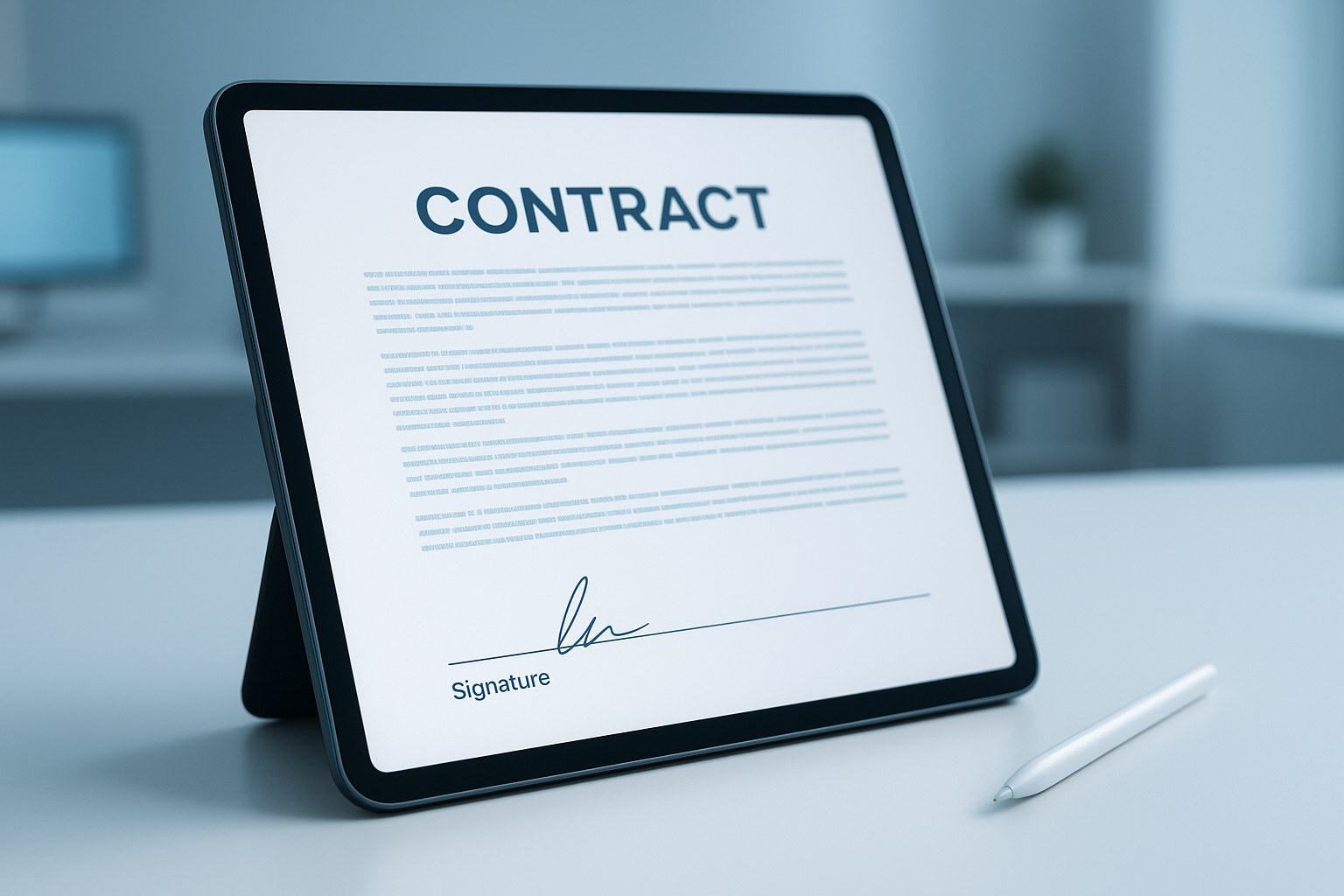
A close-up of the signing step that connects an approved estimate to the rest of the job.
Security and Audit Trails: What Actually Protects a Signed Contract
Reputable e-signature platforms log far more than just a signature image. Specifically, each signing event typically records the signer's name and email, the device and IP address used, a precise timestamp, and a hash — a unique digital fingerprint, explained simply, that changes completely if even one character of the document is altered afterward. The National Institute of Standards and Technology (NIST) defines this hashing and verification process as the technical backbone of what makes a digital signature trustworthy.
Together, these details form an audit trail that is considerably harder to dispute than an unwitnessed paper signature sitting in a filing cabinet. Consequently, if a homeowner later claims they never agreed to a specific price or scope, the signed record — complete with timestamp and locked document version — serves as strong supporting evidence.
What a Secure Platform Should Always Provide
- A locked, tamper-evident copy of the exact document version signed
- A certificate of completion showing signer identity, timestamp, and IP address
- Role-based access so only authorized staff can view or export signed contracts
- Encrypted storage, both while the document is in transit and once it's archived
Choosing Software to Sign Home Improvement Contracts Online
Not every e-signature tool is built with a contractor's workflow in mind. Some are designed for general document signing and stop there, leaving someone to copy signed files into a separate CRM or job folder by hand. Others are built as one piece of a larger workflow that already includes estimates, payments, and production.
When comparing options, a few questions help narrow the field quickly: Does the signature stay attached to the job record, or does it live in a separate app? Can a deposit be collected in the same step as the signature? Does signing a contract automatically move the job toward production, or does someone have to re-enter it? And can existing leads and contracts be migrated in from a spreadsheet or a previous system?
LeadFlow, for example, is built as a connected workflow CRM for home improvement companies, pairing estimates and signatures with job-linked payments, material orders, and production tracking. You can see how that estimate-to-signature step works in practice on the estimates and signatures tour page, or review the broader product tour to see how leads, appointments, and production connect around the same job. Companies comparing plans by team size can check the pricing page, and teams curious how this looks for companies similar to their own can read real examples on the case studies page.
What Does E-Signature Software Cost for a Home Improvement Business?
Costs vary depending on whether e-signatures are a standalone tool or part of a broader workflow CRM that also handles estimates, payments, and production. A standalone signing tool is often priced per sender per month, while a connected platform like LeadFlow typically prices by user count on a month-to-month basis, with details available on the pricing page. In practice, bundling signing with the rest of the job workflow usually costs less overall than paying for separate signing, CRM, and payment tools individually.
Common Mistakes to Avoid With Digital Signatures for Home Improvement Contracts
Even a well-built e-signature tool can go wrong around the edges. The most common issues include:
- Sending the wrong version of a contract. If pricing changes after a conversation but an older file goes out, the homeowner may sign terms that don't match what was discussed.
- Treating the signature as the finish line. A signed contract that isn't connected to a deposit, material order, or production schedule still requires someone to manually move it forward.
- Skipping required disclosures. Some states require specific notices, including cancellation rights, on home improvement and door-to-door contracts regardless of signing method; these belong in the document template itself.
- Not confirming mobile usability. A contract that's hard to read or sign on a phone screen can slow down exactly the homeowners who expect a fast, modern experience.
- Assuming every signature type fits every situation. A high-value remodel contract may warrant stronger identity verification than a quick repair estimate, so treating every job the same way can create unnecessary risk.
Most of these issues trace back to using a signature tool that isn't connected to the rest of the job. When the estimate, signature, deposit, and production step share the same job record, there's no separate file to lose track of.
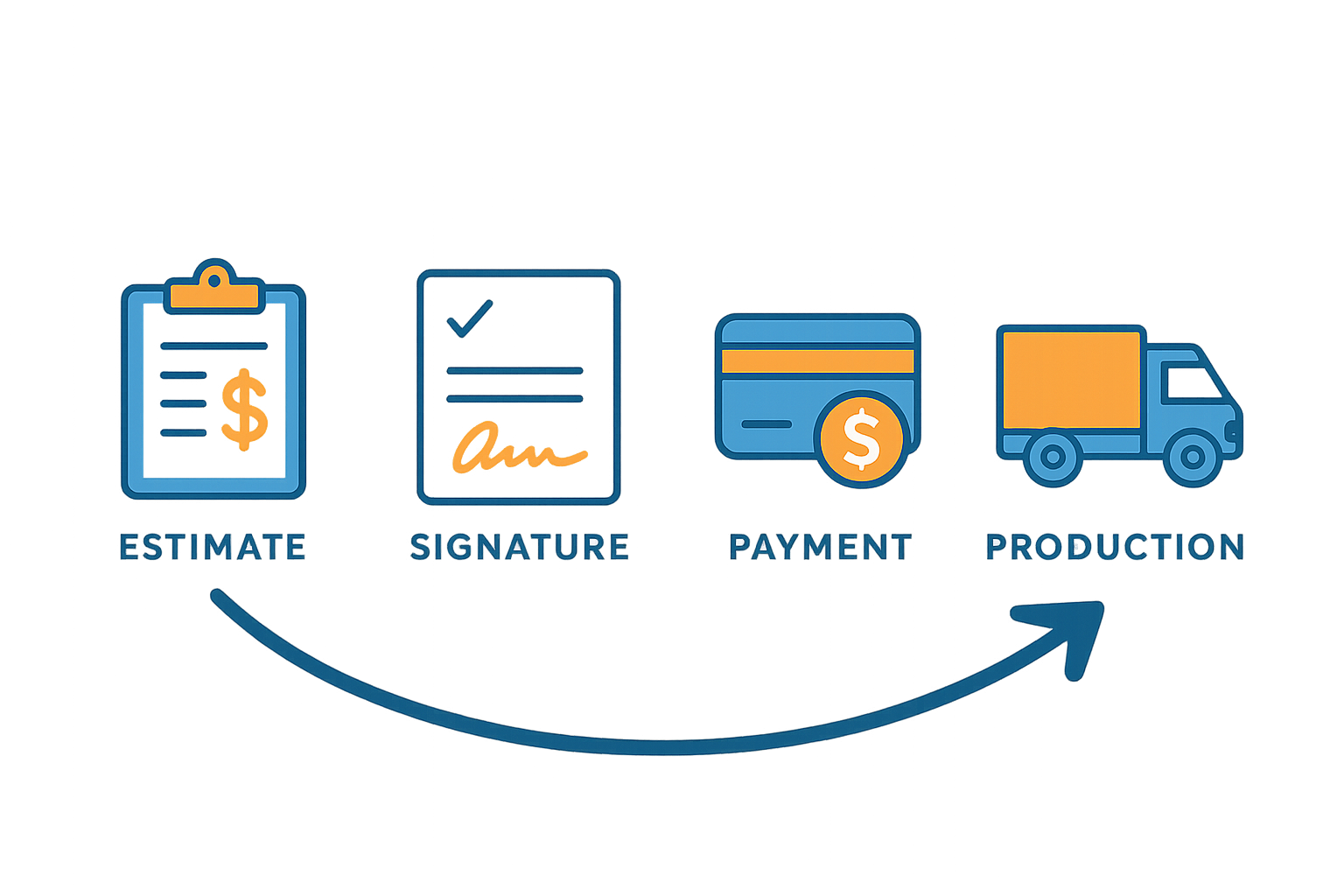
Signing is one link in a longer chain that connects estimates, payments, and production.
Frequently Asked Questions About Digital Signatures for Home Improvement Contracts
What are digital signatures for home improvement contracts?
Digital signatures for home improvement contracts are electronic approvals that let a homeowner sign an estimate, contract, or change order on a screen instead of on paper, with the signed document stored automatically in the job record. They typically include a timestamp and a record of which document version was approved.
How do digital signatures work on a contractor estimate?
A sales representative or office staff member prepares the estimate, sends it to the homeowner through the software, and the homeowner reviews and signs from a phone, tablet, or computer. The signed document is then saved against that specific job.
Are digital signatures on home improvement contracts legally binding?
Yes, in most cases. Under the federal ESIGN Act and state versions of the Uniform Electronic Transactions Act, electronic signatures generally carry the same legal weight as handwritten ones.
What's the difference between a digital signature and an electronic signature?
A digital signature technically refers to a cryptographically verified signature, while an electronic signature is the broader legal term for any electronic mark of approval. In everyday contractor conversations, the two terms are used interchangeably.
Do digital signatures speed up the home improvement sales process?
Yes. Removing printing, mailing, or rescheduling just to collect a signature means a homeowner can approve a contract during the same appointment where pricing is discussed, which shortens the time between estimate and signed job.
What security measures protect a digitally signed contract?
Reputable e-signature platforms log the signer's identity information, timestamp, and document version, and store the signed file in an access-controlled workspace. This creates an audit trail that's harder to dispute than an untracked paper copy.
Can homeowners sign a home improvement contract from a phone?
Yes. Most modern e-signature tools, including those built into home improvement workflow CRMs, are designed to be signed from a phone, tablet, or computer without installing any software.
What happens if a homeowner disputes a digitally signed contract?
The timestamped record of who signed, when, and which document version they approved serves as evidence in a dispute, similar to a dated, witnessed paper signature. Contractors should still keep required state disclosures inside the signed document itself.
How much does e-signature software cost for a home improvement business?
Costs vary depending on whether e-signatures are a standalone tool or part of a broader workflow CRM that also handles estimates, payments, and production. Platforms like LeadFlow offer month-to-month plans by user count, with details on the pricing page.
What common mistakes should contractors avoid with digital signatures for home improvement contracts?
The most frequent mistakes are sending an outdated contract version, treating the signature as a finish line instead of connecting it to deposits and production, and skipping state-required disclosures. Confirming the signing experience works well on a phone also matters.
Can digital signatures be combined with deposits and payments in one step?
Yes, on platforms built for that purpose. A connected workflow CRM can capture the signature and the deposit together, so the job record shows an approved contract and a payment status at the same time.
Do digital signatures work for change orders and material approvals?
Yes. The same signing process used for an initial contract can apply to change orders, so updated scope or pricing is approved and recorded before production continues.
What should a contractor look for when choosing software to sign home improvement contracts online?
Look for whether the signature stays attached to the job record, whether a deposit can be collected in the same step, whether signing triggers the next workflow stage automatically, and whether existing leads and contracts can be migrated in.
How long does it take for a homeowner to sign a contract digitally compared to paper?
Digital signing can often be completed in minutes during the same appointment, compared to paper processes that may take days when a contract has to be printed, mailed, scanned, or returned on a second visit.
Does a homeowner still have a right to cancel after signing digitally?
In most cases, yes. The FTC's Cooling-Off Rule generally gives consumers three business days to cancel a contract signed away from the seller's regular place of business, regardless of whether the signature was captured on paper or electronically. The cancellation notice still needs to appear in the signed document itself.
Can digital signatures be used for lien waivers and warranty documents?
Yes. Many contractors extend the same electronic signing process to lien waivers, warranty acknowledgments, and completion certificates, keeping every document tied to the same job record rather than scattered across separate paper files.
Bringing Digital Signatures Into Your Home Improvement Workflow
Digital signatures for home improvement contracts solve a specific, recurring problem: the delay between a homeowner's yes and a crew's go. When signing is treated as an isolated step, that delay often comes back anyway, somewhere between the signature and production. However, when signing is connected to the rest of the job — the estimate, the deposit, the material order, and the production schedule — a single approval moves the whole job forward. Therefore, contractors evaluating this shift should confirm their e-signature tool meets ESIGN Act and state UETA standards, keeps a clear audit trail, still honors cancellation-right disclosures, and connects to the tools their office and production teams already use. Teams ready to see this in action around their own workflow can book a personalized demo through LeadFlow.